
Our product portfolio
Our solutions help our customers to keep their infrastructure up, running, and optimized,
while keeping everything surprisingly simple.
The solution that made the Paessler name well-known. Use it to monitor small and midsize infrastructures.
Awesome maps and dashboards, flexible alerting, multiple user interfaces, in-depth reporting, distributed monitoring, and more.
Focus on your infrastructure and leave the hosting to us. Billed monthly or annually and based on your individual usage.
Everything PRTG has to offer, made available to you from the cloud. There’s no need for dedicated hardware.

With Qbilon, it's easier than ever to get complete transparency over your IT landscape: On-premises, in the cloud, or hybrid
IT Intelligence made easy: Learn here how to extend your PRTG monitoring experience with Qbilon and provide more transparency.








Solutions to monitor everything
Core IT
infrastructure
Know what’s up and what’s not: Monitor all your systems, devices, traffic, and applications.
Large IT infrastructure
Monitor large environments, business processes and services, across multiple locations.

Cloud-based monitoring
Only pay for what you use: Simply focus on your infrastructure and
leave the hosting to us.
Data center
functionality
Monitor data centers and their environment to boost performance and avoid downtime.
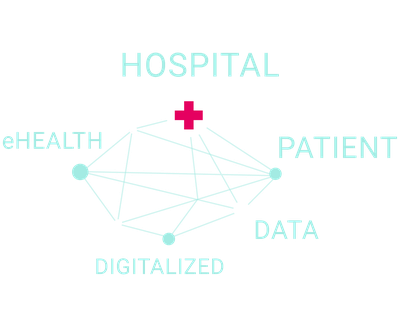
Healthcare
IT
Featuring support for protocols like DICOM and HL7: Monitor both your classic IT systems and healthcare IT.
Industrial
IT & IoT
OPC UA, Modbus, MQTT, or gateways: Embrace digitalization as an opportunity by monitoring both
IT and OT.
Condition monitoring
Monitor the conditions of your environment and use the insights to discover potential resource savings.

And
much more
Education, government, CCTV, or finance; discover all the monitoring possibilities we offer.

“Software is absolutely perfect, support is superior. Meets all needs and requirements, this is a must have solution if you are needing any form of monitoring.”





25+ years of
monitoring experience
A growing global
partner network
500,000 happy
customers worldwide
Who we are and
why we do what we do

How our
journey began
Our founder Dirk was angry about the monitoring experience in 1997. So he said: "There's got to be an easier way". Today more than 500,000 users rely on Paessler PRTG every day.

Join our
passionate team
We are analysts, creatives, coders, thinkers, makers, problem solvers, and customer heroes. We are a diverse team from all over the world. Would you like to join in?

The "Why" behind our work
We contribute to reducing the consumption of resources by humankind together with our customers – and made this our official company purpose.

Stories from our customers
In the last 25 years, a great number of companies have successfully used our products in various industries. Here is an overview of their exciting use cases and learnings.